하나의 div로 묶었지만, 안에 다른 요소들이 튀어나오는 경우들이있다.
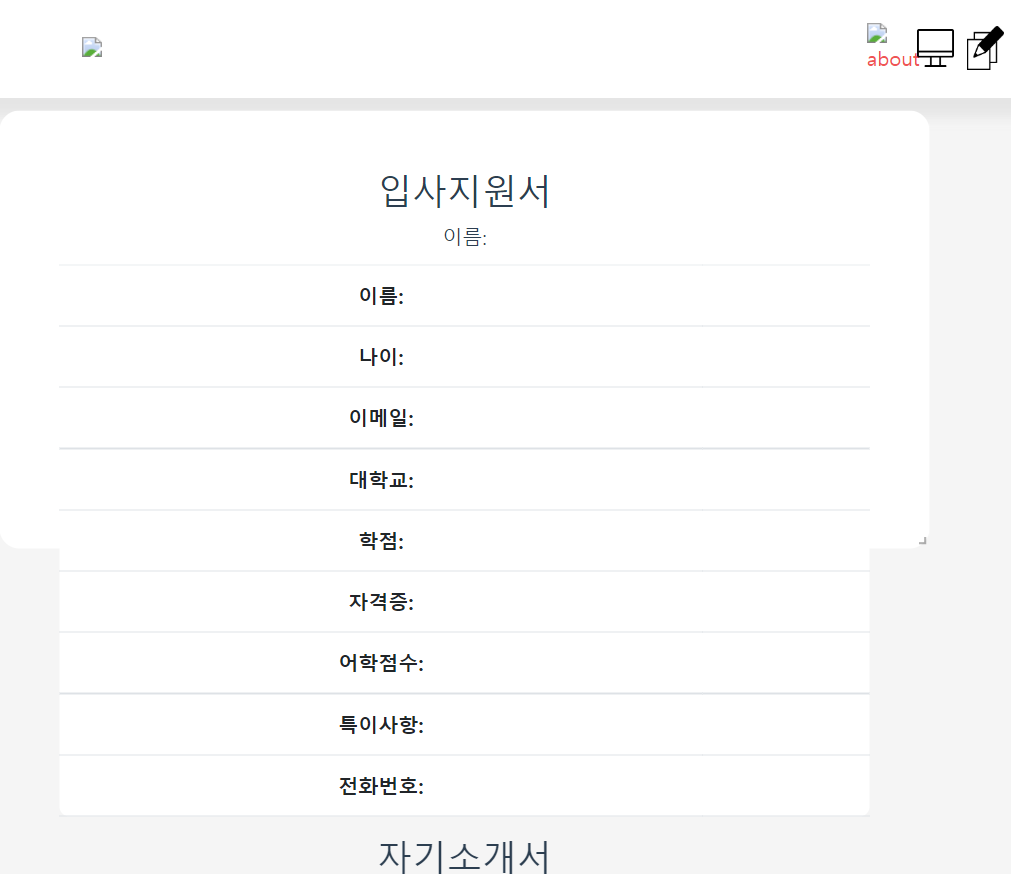
예를 들어 이런식으로...
위 문제를 해결하기 위해 css 구글링을 하던 도중 해결을 위한 코드를 습득함!
div.ex1 {
	// 스크롤이 만들어짐 (상하좌우 컨트롤 가능한 스크롤)
  overflow: scroll;
}

div.ex2 {
	// div 사이즈가 넘어가는 텍스트들은 안보임
  overflow: hidden;
}

div.ex3 {
	// div사이즈에 맞춰 스크롤이 자동생성됨(상하 컨트롤 가능한 스크롤)
  overflow: auto;
}

div.ex4 {
	//clip으로 사용자의 가시범위를 지정해줌
  overflow: clip;
}

div.ex5 {
	//default값, overflow되어도 div내 요소는 끝까지 보여줌
  overflow: visible;
}참고문서https://www.w3schools.com/cssref/pr_pos_overflow.asp
CSS overflow property
W3Schools offers free online tutorials, references and exercises in all the major languages of the web. Covering popular subjects like HTML, CSS, JavaScript, Python, SQL, Java, and many, many more.
www.w3schools.com
'css' 카테고리의 다른 글
| input type='text'보단 .. textarea (1) | 2022.09.28 |
|---|
댓글